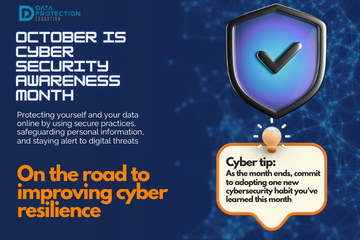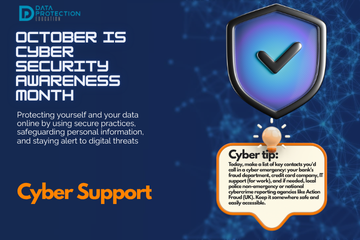

"A graphic announcing 'October is Cyber Security Awareness Month,' with text explaining the importance of creating a cyber emergency contact list in preparation for a cyber attack. It also includes a 'Cyber tip' to assess passwords, turn on MFA, and review critical accounts, especially email. A shield icon with a checkmark and a lightbulb icon are visible."

October 23. Filtering and Monitoring

In cybersecurity, filtering and monitoring are proactive measures that act as your digital watchdogs, guarding against threats by controlling what comes in and out of your networks and systems, and by continuously observing activity for suspicious signs. These practices are essential for early threat detection and prevention.

Read more …

"A graphic announcing 'October is Cyber Security Awareness Month,' with text explaining the importance of creating a cyber emergency contact list in preparation for a cyber attack. It also includes a 'Cyber tip' to assess passwords, turn on MFA, and review critical accounts, especially email. A shield icon with a checkmark and a lightbulb icon are visible."

October 22. Hardware: Printers

Printers are often overlooked, however, they can represent significant security vulnerabilities if not properly secured.  Modern printers are essentially specialised computers with network connections, storage capabilities, and their own operating systems, making them potential targets for cybercriminals.

Read more …

"A graphic announcing 'October is Cyber Security Awareness Month,' with text explaining the importance of creating a cyber emergency contact list in preparation for a cyber attack. It also includes a 'Cyber tip' to assess passwords, turn on MFA, and review critical accounts, especially email. A shield icon with a checkmark and a lightbulb icon are visible."

October 21. Hardware: Asset Management

In any organisation, and even for individuals with multiple devices, simply knowing what hardware and software you own is the foundational step for effective cybersecurity. This practice is known as asset management, and it's far more than just an inventory list; it's a critical component of risk management and security posture. You cannot protect what you do not know you have, or what state it's in.

Read more …

"A graphic announcing 'October is Cyber Security Awareness Month,' with text explaining the importance of creating a cyber emergency contact list in preparation for a cyber attack. It also includes a 'Cyber tip' to assess passwords, turn on MFA, and review critical accounts, especially email. A shield icon with a checkmark and a lightbulb icon are visible."

October 20. Hardware: Safe disposal

When upgrading your tech or getting rid of old devices, simply deleting files or formatting a hard drive is often not enough to truly erase your data. Safe disposal of hardware is a critical, yet frequently overlooked, aspect of cybersecurity. If sensitive personal or organisational information remains recoverable on old devices, it can easily fall into the wrong hands, leading to identity theft, financial fraud, or severe data breaches.

Read more …

"A graphic announcing 'October is Cyber Security Awareness Month,' with text explaining the importance of creating a cyber emergency contact list in preparation for a cyber attack. It also includes a 'Cyber tip' to assess passwords, turn on MFA, and review critical accounts, especially email. A shield icon with a checkmark and a lightbulb icon are visible."

October 19. Anti-virus/anti-malware

Anti-virus and anti-malware are essential tools that are designed to detect, prevent, and remove malicious software – collectively known as malware – that can infect your devices, compromise your data, and disrupt your operations. Just like your body needs an immune system to fight off infections, your digital devices need protection against cyber threats.

Read more …

"A graphic announcing 'October is Cyber Security Awareness Month,' with text explaining the importance of creating a cyber emergency contact list in preparation for a cyber attack. It also includes a 'Cyber tip' to assess passwords, turn on MFA, and review critical accounts, especially email. A shield icon with a checkmark and a lightbulb icon are visible."

October 18. Regular Updates: Patching Against Threats

In the fast-evolving world of cybersecurity, software, operating systems, and applications are constantly being refined, improved, and, crucially, secured. Regular updates, also known as patching, are not merely about gaining new features or improving performance; they are an absolutely critical cybersecurity practice. Neglecting updates is like leaving your digital doors wide open after a burglar has already identified the weak spots.

Read more …

"A graphic announcing 'October is Cyber Security Awareness Month,' with text explaining the importance of creating a cyber emergency contact list in preparation for a cyber attack. It also includes a 'Cyber tip' to assess passwords, turn on MFA, and review critical accounts, especially email. A shield icon with a checkmark and a lightbulb icon are visible."

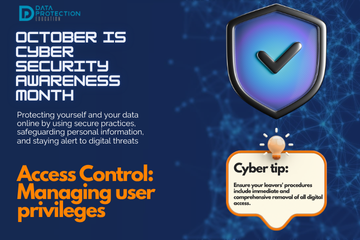
October 17. Access Control: Managing User Privileges

In cybersecurity, access control for users is about ensuring that only authorised individuals can access specific systems, applications, and data, and only to the extent necessary for their role. This principle is often referred to as the "principle of least privilege"  – granting users the bare minimum permissions required to perform their job functions, and nothing more.

Read more …

"A graphic announcing 'October is Cyber Security Awareness Month,' with text explaining the importance of creating a cyber emergency contact list in preparation for a cyber attack. It also includes a 'Cyber tip' to assess passwords, turn on MFA, and review critical accounts, especially email. A shield icon with a checkmark and a lightbulb icon are visible."

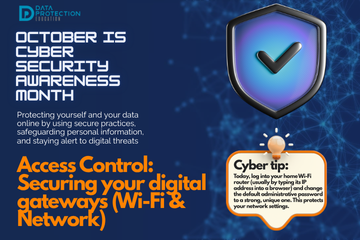
October 16. Access Control: Securing Your Digital Gateways (Wi-Fi & Networks)

Your Wi-Fi network and broader internal networks are the digital gateways to all your connected devices, resources and data. Just as a physical building needs secure entrances, your networks require robust access controls to prevent unauthorised entry and protect everything within. Ignoring network security is like leaving your front door wide open.

Read more …

"A graphic announcing 'October is Cyber Security Awareness Month,' with text explaining the importance of creating a cyber emergency contact list in preparation for a cyber attack. It also includes a 'Cyber tip' to assess passwords, turn on MFA, and review critical accounts, especially email. A shield icon with a checkmark and a lightbulb icon are visible."

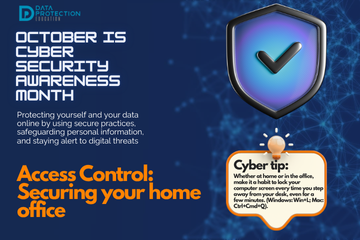
October 15. Access Control: Securing Your Home Office (Working From Home)

The shift to remote work has transformed how we work, but also introduces new cyber security challenges, particarly around access control in a less structured environment, like a home office.  When working off site,  your personal network and devices become potential entry points into your organisation's systems, making robust access control crucial.

Read more …

"A graphic announcing 'October is Cyber Security Awareness Month,' with text explaining the importance of creating a cyber emergency contact list in preparation for a cyber attack. It also includes a 'Cyber tip' to assess passwords, turn on MFA, and review critical accounts, especially email. A shield icon with a checkmark and a lightbulb icon are visible."

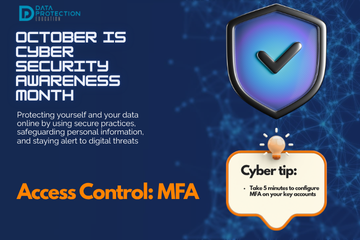
October 14. Access Control : (Multi-factor authentication)

Multi factor authentication is considered the most impactful single step you can take to strengthen your access control to digital accounts, systems and data. While a strong password is your first line of defence, MFA adds a critical second (or more) layer of verification, making it much harder for cyber criminals to gain unauthorised entry, even if they've stolen your password.

Read more …

"A graphic announcing 'October is Cyber Security Awareness Month,' with text explaining the importance of creating a cyber emergency contact list in preparation for a cyber attack. It also includes a 'Cyber tip' to assess passwords, turn on MFA, and review critical accounts, especially email. A shield icon with a checkmark and a lightbulb icon are visible."

October 12. Training: Empowering your human firewall

Technology alone will not fully protect an organisation; people are often considered the weakest link or biggest vulnerability in the security chain, but they can also be the strongest. Cyber security training is not just an option, but an absolute necessity.

Read more …

"A graphic announcing 'October is Cyber Security Awareness Month,' with text explaining the importance of creating a cyber emergency contact list in preparation for a cyber attack. It also includes a 'Cyber tip' to assess passwords, turn on MFA, and review critical accounts, especially email. A shield icon with a checkmark and a lightbulb icon are visible."

October 11. Policies and Procedures: Cyber Blueprint

Cyber security has many levels; policies and procedures are about establishing clear rules, guidelines and processes that govern how information is handled within an organisation.  Well-defined policies and procedures serve as the blueprint for your cyber security program, ensuring consistent practices, reducing human error and providing a framework for accountability.

Read more …

"A graphic announcing 'October is Cyber Security Awareness Month,' with text explaining the importance of creating a cyber emergency contact list in preparation for a cyber attack. It also includes a 'Cyber tip' to assess passwords, turn on MFA, and review critical accounts, especially email. A shield icon with a checkmark and a lightbulb icon are visible."

October 10. Understanding Your Cyber Posture

Before you can effectively improve your cyber security, you must first understand where you are - Understand Your Cyber Posture. It involves a thorough evaluation of your existing security measures, identifying vulnerabilities, and understanding the risks you face.  You can't protect what you don't know you have or what weaknesses you might have hidden

Read more …

"A graphic announcing 'October is Cyber Security Awareness Month,' with text explaining the importance of creating a cyber emergency contact list in preparation for a cyber attack. It also includes a 'Cyber tip' to assess passwords, turn on MFA, and review critical accounts, especially email. A shield icon with a checkmark and a lightbulb icon are visible."

October 8. How Can Your Organisation Prevent Ransomware Attacks?

Preventing ransomware attacks requires a multi-layered approach.  Regular backups are crucial - ensure they are isolated and tested. Employee training is paramount; staff must be able to recognise a phishing attempt.  All software and systems should be updated to patch vulnerabilities.  Strong access controls and MFA for all accounts will prevent up to 89% of data beaches.

Read more …

"A graphic announcing 'October is Cyber Security Awareness Month,' with text explaining the importance of creating a cyber emergency contact list in preparation for a cyber attack. It also includes a 'Cyber tip' to assess passwords, turn on MFA, and review critical accounts, especially email. A shield icon with a checkmark and a lightbulb icon are visible."

October 7: Under Attack: The Reality of Ransomware

The headlines often focus on large organisations or governments falling victim to cyber attacks, such as M&S and the Co-op, however, there is an increasing number of attacks on schools and colleges.  A ransomware attack on a school can be particularly devastating, crippling operations, disrupting learning and putting sensitive student and staff data at risk.

Read more …

"A graphic announcing 'October is Cyber Security Awareness Month,' with text explaining the importance of creating a cyber emergency contact list in preparation for a cyber attack. It also includes a 'Cyber tip' to assess passwords, turn on MFA, and review critical accounts, especially email. A shield icon with a checkmark and a lightbulb icon are visible."

October 6: Cyber Action Plan and A Roadmap to Resilience

Creating a cyber action plan will help you navigate the digital world safely.  A well thought out plan can help you with a structured approach to improving your security posture, help identify weaknesses and ensure a rapid response when an incident occurs.  It can move you from reactive panic to proactive preparedness.

Read more …

"A graphic announcing 'October is Cyber Security Awareness Month,' with text saying be your own digital guardian.  Take ownership of your own digital footprint. It also includes a 'Cyber tip' to assess passwords, turn on MFA, and review critical accounts, especially email. A shield icon with a checkmark and a lightbulb icon are visible."

October 5: Cyber Responsibilities - We're All in This Together

While cyber security may sound complex and something just for 'the IT department', that couldn't be further from the truth.  Cyber security is a shared responsibility, and every individual from the CEO down to the newest apprentice, plays a vital role in protection themselves and their broader digital ecosystem.

Read more …

"A graphic announcing 'October is Cyber Security Awareness Month,' with text explaining the importance of creating a cyber emergency contact list in preparation for a cyber attack. It also includes a 'Cyber tip' to assess passwords, turn on MFA, and review critical accounts, especially email. A shield icon with a checkmark and a lightbulb icon are visible."

October 4: When a Cyber Attack Hits

Even with the robust preventative measures, cyber attacks can happen.  The key is is not to panic and to have a plan, most organisations will call this a cyber incident response plan.  Knowing what to do in the immediate aftermath can significantly mitigate the damage, limit data loss and speed up recovery.

Read more …

"A graphic announcing 'October is Cyber Security Awareness Month,' with text explaining the importance of protecting data online. It also includes a 'Cyber tip' to assess passwords, turn on MFA, and review critical accounts, especially email. A shield icon with a checkmark and a lightbulb icon are visible."

October 2: Privacy Protection & Safeguarding Personal Data

Our second day of Cyber Security Awareness Month is about controlling access to your personal information and how it is used. Personal data is now constantly being collected, processed and shared.  Privacy protection is about exercising control over who has access to your personal data and how it is used.

Read more …

 An infographic titled "Digital Safeguarding" shows a glowing shield in the center with a stylized circuit board pattern. A fist punches through the shield, and the words "Safeguarding" and "Cybersecurity" are on either side, linked by an equals sign. Inside the shield, a digital lock icon is featured, along with simplified icons representing people, houses, and what appear to be data points labeled "Manin Salaries" and "Jahet Maintres." In the background, a group of young children are sitting on the floor in a brightly lit classroom. The top of the image features the logo for "DATA PROTECTION EDUCATION." The bottom of the image has the text "DIGITAL SAFEGUARDING IS CHILD SAFETY."

Nursery Cyber attack

A cyber attack on nursery chain, Kido claims to have stolen photos, names and addresses of around 8,000 children.  The information includes parental details and carers and safeguarding notes.

Read more …

 A graphic titled "NCSC Cyber Assessment Framework" divided into four quadrants.  Quadrant A (top-left, orange): Titled "Managing Security Risk," with a gear and checkmark icon. The text lists: Governance, Risk Management, Asset Management, and Supply Chain.  Quadrant B (bottom-left, gray): Titled "Protecting against cyber attack," with a globe and padlock icon. The text lists: Service Protection Policies, Processes and Procedures; Identity and Access Control; Data Security; System Security; Resilient Networks and Systems; and Staff Awareness and Training.  Quadrant C (top-right, light blue): Titled "Detecting Cyber Security Events," with a magnifying glass and exclamation point icon. The text lists: Security Monitoring and Threat Hunting.  Quadrant D (bottom-right, dark blue): Titled "Minimising the impact of cyber security incidents," with a checklist and checkmark icon. The text lists: Response and Recovery Planning and Lessons Learned.  The bottom of the graphic shows the "DATA PROTECTION EDUCATION" logo.

The NCSC Cyber Assessment Framework

The Cyber Assessment Framework (CAF) is cyber security guidance for organisations that play a vital role in the day-today life in the UK and organisations should look to it as guidelines for helping keep data safe.

Read more …

 A dark image with the word "FRAUD" in white lettering on a black background, with a magnifying glass over the F. Below "FRAUD" are the words "Awareness" in orange text. In the bottom-left corner, a person in a black hoodie and a white mask holds a phone and has a finger to their lips in a shushing gesture. In the bottom-right corner is a circular logo for "Data Protection Officer" with the website "dataprotection.law/education".

Fraud awareness from the DfE

Given the Public Sector Fraud Authority estimates that every year between £39.9 billion and £58.5 billion of taxpayer's money is subject to fraud and error, it's no wonder the UK Government has published some guidance about fraud awareness.

Read more …

 A man's hand, seen from the side, reaches forward with his index finger extended, seemingly to touch a floating, transparent button with the word "COMPLAINTS" on it. Above the button, in large white text, are the words "Data Rights" and "vs General." The background is a blurry, dark office setting with faint hexagonal shapes overlaid on it. In the bottom right corner is a logo for "Data Protection Officer."

Complaints vs. Data Rights: A Guide

With the recent Data Use and Access Act, organisations must now be more precise than ever about how they handle data rights concerns; the complaints process for data rights is clarified and formalised. This article discusses best practice around which complaints process to use when you receive a complaint.

Read more …

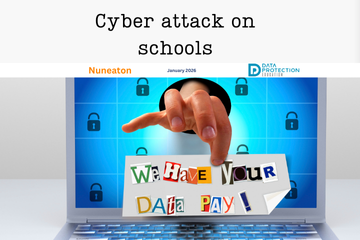
  1. The Classroom's Dark Side: Cyber crime from the Classroom
  2. Data Breach: School sends out names and contact details in a spreadsheet.
  3. September 2025 Policy and Document Updates
  4. KCSIE 2025: Data Protection, AI, and Cyber Security
  5. New e-learning for 2025
  6. The Online SCR Data Breach: What You Need to Know
  7. Back to School Basics for Data Protection and Cyber Security Compliance
  8. The Latest Cyber Threat: The "Murky Panda"
  9. Building a Secure School: Using the ICO Accountability Framework to Meet DfE Digital Standards
  10. Why Physical and Data Security Must Go Hand-In-Hand
  11. Digital Safeguarding: DfE announces statutory DfE Digital Standards
  12. The Data Protection Lead/Champion Role
  13. Changes to the Academy Trust Handbook 2025
  14. Compliance Reporting from the Knowledge Bank
  15. School closes for two days after cyber incident
  16. Social Media Day 2025
  17. How Ofsted looks at AI during inspection and regulation
  18. Podcast Episode 3: Records Management and Retention
  19. Podcast Episode 1 - data protection training for school staff
  20. Preschool Employment tribunal for the use of WhatsApp
  21. Social engineering + impersonation = Fraud ≡ cyber deception
  22. Data Breaches 2025 Report Highlights
  23. Not everyone needs access: The Key to Protecting Sensitive Data
  24. School cyber attack: Outwood Academy, Middlesbrough
  25. Alert: Schools receiving Microsoft File Sharing Phishing Emails
  26. School cyber attack: Framlingham College, Suffolk
  27. West Lothian Schools in Cyber Attack
  28. Getting caught in the Scattered Spider web
  29. A Wake-Up Call for Cyber Vigilance - Danger in the Threat Landscape for Everyone
  30. National Honesty Day: Transparency
  31. FOI Request - BBC News
  32. Social Media and Marketing Guidelines and Training
  33. New Governor Resources
  34. Does stress lead to more data breaches?
  35. Are teachers using AI? 83% say its a time-saver
  36. DfE Digital Standards - narrowing the digital divide
  37. Arbor AI - On By Default
  38. DfE Guidance: Choosing a new MIS
  39. HCRG Care Group data breach
  40. Apple removes its highest level data security tool from UK customers
  41. The Importance of AI literacy and training staff
  42. Short Guide to AI Video
  43. Safer Internet Day, Cyber Security & Data Protection
  44. The Cyber Resilience Championship
  45. The Multiple Dimensions of Supplier Due Diligence
  46. School shares sensitive pupil information as part of an FOI response
  47. AI (Artificial Intelligence) Best Practice Area & Policy
  48. Blacon High School Cyber Attack
  49. WhatsApp and FOI's: ICO Warnings
  50. New AI Guidance from the DfE
  51. The role of Passkeys in Cyber Resilience and Cyber Security
  52. What the proposed Government legislative proposal around cyber crime means
  53. ICO report on AI tools in recruitment
  54. DfE update to record keeping and management
  55. Update to data sharing for school immunisation programmes
  56. Early Years Settings and Cyber Security
  57. SLT Digital Lead Profile
  58. The role of governors in cyber security and data protection
  59. Navigating Privacy at the End of Term , Special Occasions and End of Year
  60. Effectively communicating during a cyber incident
  61. Contracts Register
  62. South East Technological University has experienced a cyber incident
  63. Safeguarding Identity in Microsoft 365: Protecting the UK Education Sector Against Cyber Threats
  64. DfE Digital Standards Autumn Update
  65. The importance of knowing how to access your CCTV footage!
  66. Cyber Attack on a Special School
  67. Stealing children's data
  68. What is dark data? (and why does it matter?)
  69. Ofqual highlights the value of cyber security training in schools
  70. Searching for data when you receive a Subject Access Request
  71. Fylde Coast Academy Trust Cyber Attack This Week
  72. Calling all IT leads in schools and mult academy trusts!
  73. Ransomware cyber attack on a school in Bromley
  74. Join Our Social Media Family!
  75. School hit by Cyber Attack
  76. Cyber Security Best Practice Area
  77. DfE Digital Standards for Schools and Colleges Tracker
  78. New Policies, Documents, Letters and Posters page
  79. Schools and Trusts Best Practice Area
  80. The DPE Retention Schedule
  81. Making the Rounds Update (now includes reporting)
  82. ESFA Cyber Essentials Requirement for Colleges from 2024/2025
  83. ICO Reprimands a School
  84. How does the recent global IT outage affect me?
  85. King's speech introduces new bills in relation to cyber security, smart data and digital information
  86. Out of date technology
  87. Data Retention and the Pupil File
  88. Have you assigned your SLT Digital Lead yet?
  89. What's a Cyber Incident and what should we do?
  90. Getting Started with AI (Artificial Intelligence)
  91. Cyber attack on a school during half term
  92. Free short cyber training for staff
  93. The rise of cyber attacks in schools are causing pupils to miss classes
  94. ICO: Learning from the mistakes of others report
  95. Children's mental health data leaked after a cyber attack
  96. Cyber attack on a Trust; the aftermath
  97. School Focus: The Vale Federation | Aylesbury
  98. DfE Dealing with Subject Access Requests (SARs) Guidance
  99. Update to the Guidance on Information Sharing from the DfE
  100. FOI Requests generated by Artificial Intelligence
  101. Social Media Best Practice Area
  102. Lettings Best Practice Area
  103. MFA Bombing - What is it?
  104. Protecting your Social Media Accounts
  105. Product Focus on Checklists : Initial Trust Plan
  106. Product Focus on Checklists : End of Term Checklist
  107. Product Focus on Checklists : Information and Cyber Security
  108. Product Focus on Checklists : Social Media
  109. Cyber Incident Review: The Benefits
  110. Product Focus on Checklists : Lettings
  111. Product Focus on Checklists : Record of Processing
  112. Milk Island: The secret location that allows children to view restricted content on Google Maps
  113. Why Data Should Stay Put: Benefits of Keeping Data in Its Original System
  114. Product Focus on Checklists : Data Retention and Destruction
  115. Product Focus on Checklists : Data Migration
  116. Product Focus on Checklists : Biometrics
  117. Product Focus on Checklists : Supplier Due Diligence
  118. Free Cyber help, advice and training with the Cyber Resilience Centres
  119. The Perils of Paper: The Printing Vulnerability
  120. Product Focus on Checklists : FOI
  121. Product Focus on Checklists : Governors and Data
  122. Product Focus on Checklists : DPIA
  123. Product Focus on Checklists : Site Moves
  124. Product Focus on Checklists : Data Breaches
  125. Product Focus on Checklists : Subject Access Requests
  126. Cyber attack on a University
  127. Product Focus on Checklists : Bring your own device
  128. Product Focus on Checklists : Working out of school/offsite
  129. Cyber Attack on a School
  130. Product Focus on Checklists : Redaction
  131. Major cyber-criminal gang Lockbit brought down by UK Law Enforcement
  132. Why Due Diligence is Important: Fake apps
  133. Product Focus on Checklists : CCTV
  134. Product Focus on Checklists : Clear desk
  135. Product Focus on Checklists : Commitment to compliance
  136. Product Focus on Checklists : Photos and video
  137. Product Focus on Checklists : Passwords
  138. Product Focus on Checklists : Information Classification
  139. Safer Internet Day 2024
  140. Kent Councils Data Breach
  141. Free cyber training for staff
  142. DfE Digital Standards Update
  143. The Mother of all Breaches
  144. ClassCharts Possible Data Breach
  145. Where is your data stored?
  146. IAPP looks at AI privacy risks
  147. If you suspect a financial scam .....
  148. Guardians of Privacy: 16. Social Media Checklist
  149. Guardians of Privacy: 15. Navigating Social Media in Educational Settings Summary
  150. Guardians of Privacy: 14. Social Media and Cyber Bullying
  151. Guardians of Privacy: 13. Social Media, Copyright and Intellectual Property
  152. Guardians of Privacy: 12. Social Media and Going Viral
  153. Guardians of Privacy: 11. Staff Social Media Accounts
  154. Guardians of Privacy: 10. Social Media and Cookies
  155. Guardians of Privacy: 9. Social Media and Morality
  156. New Resources for Schools from the ICO
  157. Guardians of Privacy: 8. Social Media Policies
  158. Guardians of Privacy: 7. Social Media Data Retention
  159. Guardians of Privacy: 6. Posting Safely
  160. Guardians of Privacy: 5. Social Media and Consent
  161. Guardians of Privacy: 4. Social Media Access Control
  162. Guardians of Privacy: 3. Social Media Channels
  163. Guardians of Privacy: 2. Law and Regulations
  164. Latest ICO Reprimand. Mr. S. Claus, Chief Executive Officer, North Pole Enterprises
  165. Phishing attacks targeting schools - alert from City of London Police
  166. The ICO reprimands a Multi Academy Trust
  167. Guidance for the use of school email and applying email retention in schools
  168. CISA and UK NCSC Announce Joint Guidelines for Secure AI System Development
  169. Data Protection Tips for Early Years Settings
  170. Children's Privacy around the world is a puzzle
  171. Trust Initial Plan Checklist Update
  172. Update on Advisory for Rhysida Ransomware
  173. Records Management Best Practice Update
  174. The Crime in a Cyber Attack and a Data Breach
  175. What do I need to redact?
  176. NCSC Annual Review is published for 2023
  177. Learning from Data Breaches
  178. Windows 11 security ineffective against attacks on old devices
  179. Trust Initial Plan for Data Protection Compliance (for Multi Academy Trusts)
  180. International Counter Ransomware Initiative 2023 Joint Statement
  181. Google for Education Resources: Helping IT Admins meet DfE digital and technology standards
  182. Top Ten Cyber Security Misconfigurations
  183. Lettings Best Practice and Guidance
  184. ICO Reprimand: company suffered a ransomware attack
  185. The UK Online Safety Bill becomes an Act (Law)
  186. Considerations when migrating to a new MIS
  187. The importance of software updates (PaperCut vulnerability and Rhysida ransomware)
  188. Public bodies and sensitive data
  189. Adding offline bulk training using the Certificates function
  190. Ransomware, extortion and the cyber crime ecosystem
  191. Get a DPE Badge for your website!
  192. ICO: 10 Step guide to sharing information to safeguard children
  193. Cyber Resource: The Cyber Resilience Centre Group
  194. Email and Security: ICO recent guidance
  195. Help after a Cyber Attack/Incident
  196. Social Media Policy
  197. Data Protection and Cyber Security (Inset Day) Training Ideas
  198. Changes to Microsoft Free Licensing for Schools
  199. What to do in the event of a Cyber Attack
  200. Cyber Crime: AI Generated Phishing Attacks
  201. Handling Freedom of Information Requests the right way
  202. Cyber Attack: Exam Boards
  203. VICE SOCIETY - Ransomware attacks on schools
  204. Using Tags if you are a group of organisations in the DPE Knowledge Bank
  205. Where's Harry the Hacker?
  206. Be Cyber Aware: USB Sticks
  207. Cyber Insurance in the Public Sector
  208. Types of Cyber Attacks: DDos Attack (Microsoft DDoS Attack in June)
  209. Cyber Attack: Leytonstone School
  210. The ICO Reprimands a school
  211. Be Cyber Aware: Firewalls
  212. Be Cyber Aware: Cyber attacks and transparency. A no blame culture
  213. Cyber Attack: Dorchester School
  214. Knowledge Bank Role Types: Admin, Staff and Trustee
  215. Types of Cyber Attacks: Password Attacks
  216. Be Cyber Aware: Why regular software updates are important
  217. Cyber Attack: Wiltshire School
  218. Keeping your IT systems safe and secure
  219. Types of Cyber Attacks: DDoS Attacks
  220. Types of Cyber Attacks: Phishing
  221. Types of Cyber Attacks: The Insider Threat
  222. Why your data is profitable to cyber criminals
  223. Using WhatsApp in Schools
  224. The Changes to Data Protection in the UK
  225. Knowledge Bank Updates
  226. Types of malware and how they are linked to data protection
  227. Striking Data Breach
  228. IPR Protection Email Scam
  229. Windows Server 2012 & 2012 R2 Retirement
  230. How to contact us for support, subject access requests, data breaches and FOI's
  231. YouTube breached child protection laws
  232. How a school fought back after a cyberattack
  233. Types of Cyber Attacks - Credential Stuffing
  234. January Cyber update - How Can Schools Help Prevent Cyber Attacks?
  235. Assigning courses to staff using to-dos
  236. How the Record of Processing Can Help You
  237. Information Security Basics: What are VPN's?
  238. What does a Data Protection Officer Do?
  239. Are you ready for a Data Breach?
  240. Carrying out Supplier Due Diligence
  241. How Long Should You Keep Personal Data For?
  242. The Education sector now at highest risk of cyber attacks
  243. How to Assess your Data Security
  244. Schools Blocked from Using Facial Recognition Systems
  245. The Children's Code
  246. B&H FoI: Racist/religious incidents/bullying
  247. Cyber Attacks
  248. Protocol for Setting Up and Delivery of Online Teaching and Learning
  249. Class Dojo International Data Sharing
  250. Model Publication Scheme: Amendments, Improvements and Updates
  251. Child friendly privacy notices
  252. Transparency
  253. Secure file transfer of files using Royal Mail
  254. Emergency contacts and consent
  255. Key elements of a successful DPIA
  256. FOI Publication Schemes
  257. SHARE: Avoid disinformation online
  258. Best Practice for Managing Photos and Video
  259. New Drip Feeds: Recognise and Respond to Subject Access Request
  260. When to contact the Data Protection Officer?
  261. National child measurement programme
  262. Compliance Manager released
  263. Headteacher fined for breach of data protection legislation
  264. Emails – good practice and minimising the risk of a data breach

Search

Keep in the Know!

Get our latest news directly to your inbox

Privacy notice