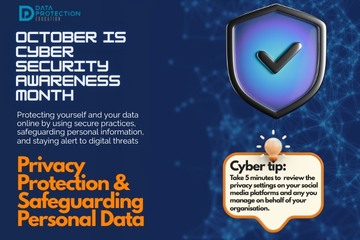
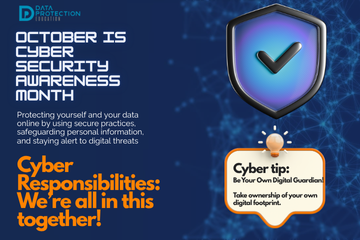
"A graphic announcing 'October is Cyber Security Awareness Month,' with text saying be your own digital guardian.  Take ownership of your own digital footprint. It also includes a 'Cyber tip' to assess passwords, turn on MFA, and review critical accounts, especially email. A shield icon with a checkmark and a lightbulb icon are visible."

While cyber security may sound complex and something just for 'the IT department', that couldn't be further from the truth.  Cyber security is a shared responsibility, and every individual from the CEO down to the newest apprentice, plays a vital role in protection themselves and their broader digital ecosystem.
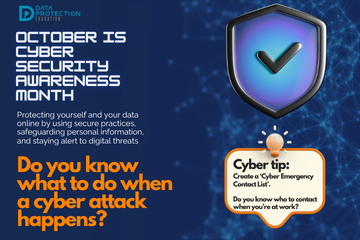
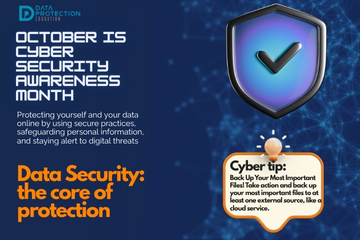
"A graphic announcing 'October is Cyber Security Awareness Month,' with text explaining the importance of creating a cyber emergency contact list in preparation for a cyber attack. It also includes a 'Cyber tip' to assess passwords, turn on MFA, and review critical accounts, especially email. A shield icon with a checkmark and a lightbulb icon are visible."

Even with the robust preventative measures, cyber attacks can happen.  The key is is not to panic and to have a plan, most organisations will call this a cyber incident response plan.  Knowing what to do in the immediate aftermath can significantly mitigate the damage, limit data loss and speed up recovery.

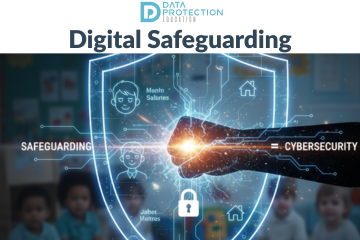
 An infographic titled "Digital Safeguarding" shows a glowing shield in the center with a stylized circuit board pattern. A fist punches through the shield, and the words "Safeguarding" and "Cybersecurity" are on either side, linked by an equals sign. Inside the shield, a digital lock icon is featured, along with simplified icons representing people, houses, and what appear to be data points labeled "Manin Salaries" and "Jahet Maintres." In the background, a group of young children are sitting on the floor in a brightly lit classroom. The top of the image features the logo for "DATA PROTECTION EDUCATION." The bottom of the image has the text "DIGITAL SAFEGUARDING IS CHILD SAFETY."

A cyber attack on nursery chain, Kido claims to have stolen photos, names and addresses of around 8,000 children.  The information includes parental details and carers and safeguarding notes.

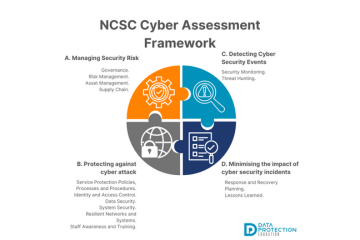
 A graphic titled "NCSC Cyber Assessment Framework" divided into four quadrants.  Quadrant A (top-left, orange): Titled "Managing Security Risk," with a gear and checkmark icon. The text lists: Governance, Risk Management, Asset Management, and Supply Chain.  Quadrant B (bottom-left, gray): Titled "Protecting against cyber attack," with a globe and padlock icon. The text lists: Service Protection Policies, Processes and Procedures; Identity and Access Control; Data Security; System Security; Resilient Networks and Systems; and Staff Awareness and Training.  Quadrant C (top-right, light blue): Titled "Detecting Cyber Security Events," with a magnifying glass and exclamation point icon. The text lists: Security Monitoring and Threat Hunting.  Quadrant D (bottom-right, dark blue): Titled "Minimising the impact of cyber security incidents," with a checklist and checkmark icon. The text lists: Response and Recovery Planning and Lessons Learned.  The bottom of the graphic shows the "DATA PROTECTION EDUCATION" logo.

The Cyber Assessment Framework (CAF) is cyber security guidance for organisations that play a vital role in the day-today life in the UK and organisations should look to it as guidelines for helping keep data safe.

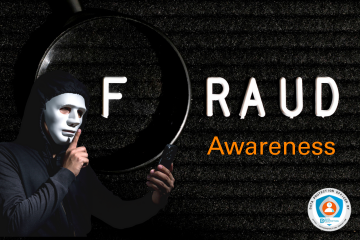
 A dark image with the word "FRAUD" in white lettering on a black background, with a magnifying glass over the F. Below "FRAUD" are the words "Awareness" in orange text. In the bottom-left corner, a person in a black hoodie and a white mask holds a phone and has a finger to their lips in a shushing gesture. In the bottom-right corner is a circular logo for "Data Protection Officer" with the website "dataprotection.law/education".

Given the Public Sector Fraud Authority estimates that every year between £39.9 billion and £58.5 billion of taxpayer's money is subject to fraud and error, it's no wonder the UK Government has published some guidance about fraud awareness.

 A man's hand, seen from the side, reaches forward with his index finger extended, seemingly to touch a floating, transparent button with the word "COMPLAINTS" on it. Above the button, in large white text, are the words "Data Rights" and "vs General." The background is a blurry, dark office setting with faint hexagonal shapes overlaid on it. In the bottom right corner is a logo for "Data Protection Officer."

With the recent Data Use and Access Act, organisations must now be more precise than ever about how they handle data rights concerns; the complaints process for data rights is clarified and formalised. This article discusses best practice around which complaints process to use when you receive a complaint.

A dimly lit classroom is filled with students, most of whom are wearing Anonymous masks, intensely focused on their laptops. The screens of their laptops glow with green lines of code and network diagrams. In the background, a projector screen displays a white padlock icon with chains on a dark background. The words "Cyber Crime" are prominently displayed in white text in the upper left corner, and "FROM THE CLASSROOM" is in the upper right. A blue "P" logo is in the bottom right corner.

Joe Tidy, BBC's Cyber correspondent has published a blog about cyber crime in schools following the ICO issuing a warning about the 'worrying trend' of students hacking their own school and college IT systems for fun or as part of dares. We explore the situation and what you should do when it happens.

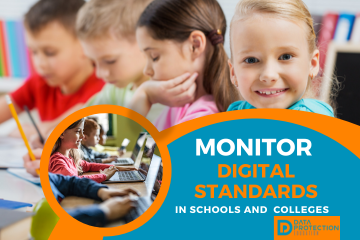
 A young girl with a happy expression rests her chin in her hands, looking at the camera. She has long brown hair and is wearing a dark top. To the right of the image, a dark blue box contains white text and three orange star icons. The text reads "KEEPING CHILDREN SAFE IN EDUCATION" at the top, followed by "September 2025 Update". Below that, the orange stars precede the lines "Data Protection," "DfE Digital Standards," and "Records Management." The background is a solid bright blue, with small white sparkles scattered around the text box. The "DATA PROTECTION EDUCATION" logo is in the bottom left corner.

The latest release of the "Keeping Children Safe in Education" guidance brings important updates for schools and colleges, including points relating to the rapidly evolving digital landscape.  Most of the changes in this year's guidance are technical.

 A blue graphic with three children peering over a dark blue banner. The banner has white text that reads "Back to School Basics: Data Protection & Cyber Security." To the left of the text is a stack of school books with a red apple on top. To the right is a laptop displaying a logo with the text "Data Protection Education."

As schools begin to welcome back students, staff and new joiners, the focus is on the new academic year: curriculum planning, safeguarding and operational logistics.  An equally critical and statutory area that demands attention is data protection and cyber security compliance.  Adhering to data protection law isn't just about avoiding fines; it's about protecting sensitive personal data of children, their families and staff.

 A stylized image of a panda wearing a dark suit and tie, standing in a bamboo forest. The background is a mix of digital circuit patterns and glowing lights. At the bottom, a graphic overlay with the text, "IS THERE A 'MURKY PANDA' ON THE TIMETABLE? THE LATEST CYBER THREAT." The logo for "D NEWS" is in the bottom right corner.

The Murky Panda (also known as Silk Typhoon) is a cyber threat that has had significant activity since 2023 and has targeted government, technology, academic, legal and professional services. Currently there are reports of the threats only in North America, however, as the Murky Panda has previously targeted compromises in the cloud, it is assumed that they will easily transition to attacks further afield. The threat group is a China-nexus group motivated by intelligence collection.

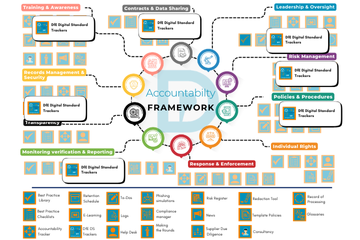
 A detailed flowchart titled "Accountability Framework" showing how the ICO (Information Commissioner's Office) framework and DfE (Department for Education) Digital Standard Trackers align. The central hub is "Accountability Framework" with ten radiating branches, each representing a key area: Leadership & Oversight, Risk Management, Policies & Procedures, Individual Rights, Response & Enforcement, Monitoring Verification & Reporting, Transparency, Records Management & Security, Contracts & Data Sharing, and Training & Awareness. Each branch connects to a box labeled "DfE Digital Standard Trackers," with several icons and checklist boxes underneath. The bottom of the image lists various tools and resources, including "Best Practice Library," "Retention Schedule," "Phishing simulations," "Risk Register," and "Accountability Tracker," which are all linked to the main framework. The overall image illustrates a comprehensive system for achieving and tracking data protection compliance in an educational setting.

The ICO Accountability Framework is a crucial tool for any organisation handling personal data, providing a structured approach to data protection compliance. When applied to the Department for Education (DfE) Digital Standards, it becomes a powerful mechanism for schools and trusts to ensure their technology and data practices are not only efficient but also legally compliant and secure.

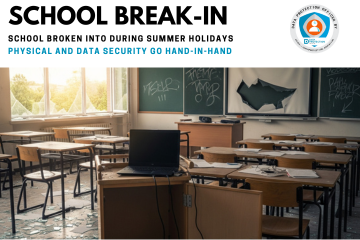
A photograph of a school classroom that has been broken into, showing damage and signs of theft. In the foreground, a wooden laptop trolley is open and empty, with a single black laptop sitting on top. Glass from a shattered window on the left side of the room is scattered across the floor, catching the light. Desks and chairs are disarranged, and a projector screen is torn. A chalkboard with some graffiti is visible in the background, completing the scene of a ransacked classroom.

The sight of a ransacked classroom is unsettling, especially for a junior school community. A break-in is not just about the cost of a new window or a replacement laptop; it is also about the potential loss of sensitive data.  Greenfields Junior School, in Green Lane, was broken into during the summer holidays.

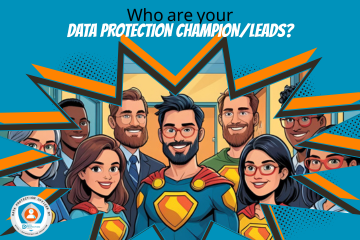
 A diverse group of seven animated adults, some male and some female, are depicted in a vibrant, comic-book-inspired style. In the foreground, a man in a Superman-like suit with a red cape and a large "S" shield on his chest stands centrally, smiling and wearing glasses. To his left, a woman with long, dark hair and a gold and red superhero-style top smiles. To her left, a man in a blue suit and tie, with a beard and glasses, smiles. Behind him, another man with dark skin smiles.  To the right of the central "Superman" figure, a woman with dark hair and red glasses, wearing a gold and red superhero-style top, smiles. Next to her, a man with a beard and a green shirt smiles. In the background on the far right, part of another person wearing glasses is visible.  Above the group, large white text with a blue outline reads "Who are your DATA PROTECTION CHAMPION/LEADS?". The background features a zigzag pattern in blue and orange, suggesting a superhero emblem or dynamic lines. In the bottom left corner, there is a circular logo with a figure inside, and text that reads "DATA PROTECTION OFFICER BY" and a web address "HTTPS://DATAPROTECTION.EDUCATION". The overall image has a clean, digital art style with clear lines and bright colors.

So, you've been asked to be the data protection champion/lead in your organisation!  We explain what that means for Data Protection Education customers.

 A vibrant, illustrative graphic announces "SOCIAL MEDIA DAY!" in large, bold letters, with "SOCIAL" in white and "MEDIA DAY!" in orange. Below this, "June 30th" is displayed in an orange rectangular box. The central focus is a large, purple smartphone, angled slightly to the right, with a bright screen populated by various 3D social media icons floating around and seemingly interacting with it.  These icons include:  A yellow star  A pink speech bubble  A golden bell  A red heart  A blue folder icon with a mountain and sun image  A blue paper airplane  A yellow envelope with a letter  A red location pin  A blue magnifying glass  A red play button triangle  Two blue speech bubbles, one with three dots and another with a smiley face  There are also several expressive emoji faces floating around the phone:  A large, yellow smiling face with closed eyes on the phone screen.  A red heart-eyes emoji.  A slightly mischievous, winking emoji with a tongue out.  A happy emoji with closed eyes and rosy cheeks.  At the bottom left, a circular logo states "DATA PROTECTION OFFICER BY" around an emblem featuring a stylized person figure protecting data, with "DATA PROTECTION EDUCATION" written beneath it and a URL "HTTPS://DATAPROTECTION.EDUCATION". The background is a gradient of blue, with darker shades at the bottom and lighter at the top, along with some abstract cloud-like shapes.

📲👍It's Social Media day today - now an integral part of our daily lives both personally and at work. We take a look at some privacy considerations and acceptable use.

Image of a microphone with a title "Episode 3 records management"

This podcast episode delves into the often-overlooked but crucial topic of records management within the school environment. It breaks down the lifecycle of a record from creation to disposal, highlighting the legal framework schools operate within, including the Data Protection Act 2018, UK GDPR, and the Freedom of Information Act 2000. The episode also explores the consequences of non-compliance, the importance of a robust Records Management Policy, and the specific considerations for handling sensitive data like safeguarding records. Ultimately, it emphasizes that effective records management is a whole-school responsibility that protects students, staff, and the school itself.

Key Takeaways

  • Records management is a systematic process encompassing the entire lifecycle of information, from creation and maintenance to retention and disposal.
  • A formal, written Records Management Policy and a detailed retention schedule are essential for ensuring compliance and efficient operations.
  • All school employees, from the headteacher to external contractors, are responsible for adhering to the Records Management Policy.
  • Special category data, such as health and safeguarding records, requires enhanced protection, including stricter access controls and longer retention periods.
  • Effective records management is not just about compliance; it's about fostering a culture of good information governance within the school.

Suggested Actions

  1. Develop or review your school's Records Management Policy, ensuring it clearly defines roles, responsibilities, and procedures for handling different types of records.
  2. Create a detailed retention schedule that specifies how long each type of record must be kept, in accordance with legal requirements and best practices.
  3. Implement a system for classifying data (e.g., Confidential, Public, Internal) to ensure the appropriate level of security and access control.


This content was produced using Podfeed AI.

Podcast Episode 1 - data protection training for school staff

Join us for our first DPE podcast! Data Protection Training for School Staff

This podcast episode provides an overview of the Data Protection Education's 2024 training update, focusing on the legal framework and practical guidance for data protection in the workplace. The discussion covers key definitions like UK GDPR, Data Controller, Data Processor, Personal Data, and Data Protection Officer. It also highlights the importance of data protection in preventing breaches and fostering a strong data protection culture within organisations, using scenarios and examples to illustrate practical applications and potential risks.

Key Takeaways

  • Understanding the UK GDPR and the Data Protection Act 2018 is crucial for compliance in the UK.
  • Recognising 'personal data' and 'special category data' is fundamental to protecting individuals' information.
  • Data protection is not solely an IT issue; it's everyone's responsibility within an organisation.
  • Practical scenarios and role-playing can effectively illustrate data protection principles in action.
  • 'Harry the Hacker' concept highlights that data breaches can occur through simple oversights and physical security lapses, not just cyberattacks.


This content was produced using Podfeed AI.

photo of a hand holding a phone with whatsapp on the screen. Beige background and black text: What's up with WhatsApp? Emma Martins, Chief Commissioner of the Data & Marketing Commission and Data Protection Education have teamed together to give you a comprehensive overview of the risks, recent cases and guidelines about using WhatsApp.

📳What's Up with WhatsApp? WhatsApp is a regular theme in relation to SARs, FOI's, data breaches and general use as tickets into our Knowledge Bank platform.  Emma Martins, Chief Commissioner of the Data and Marketing Commission has worked with us to produce some guidance following the recent employment tribunal that was published in relation to a preschool.
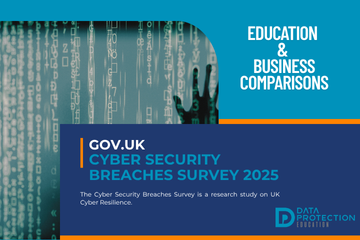
Photo of a shadow behind some computer code. Blue background and white text: Education & business comparisons. Navy background and blue text: Gov.uk Cyber security breaches survey 2025. Data Protection Education logo

The GOV.UK Cyber Security Breaches Survey 2025 is out and reveals that 43% of UK businesses and 30% of charities experienced a cyber security breach or attack in the last 12 months.  We review and highlight some key data protection points.

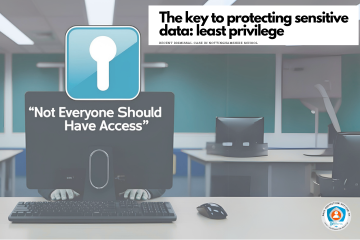
AI generated photo of the back of a  computer screen with hands on a keyboard. Blue padlock with white text saying: Not everyone should have access.  White background and black text: The key to protecting sensitive data : least privilege. Recent dismissal case in Nottinghamshire

🚫🔒 Sensitive data requires a higher level of security under UK GDPR because of its potential to cause significant harm to individuals if it is lost, stolen or misused.  A recent case of a teacher losing their job after accessing a safeguarding report and transcribing it to her personal computer highlights the both the importance for least privilege access and continual review of access.
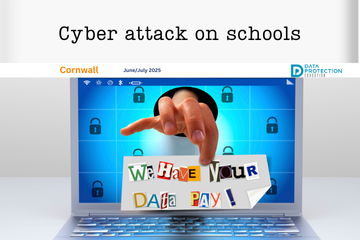
  1. School cyber attack: Outwood Academy, Middlesbrough
  2. Alert: Schools receiving Microsoft File Sharing Phishing Emails
  3. School cyber attack: Framlingham College, Suffolk
  4. West Lothian Schools in Cyber Attack
  5. Getting caught in the Scattered Spider web
  6. A Wake-Up Call for Cyber Vigilance - Danger in the Threat Landscape for Everyone
  7. National Honesty Day: Transparency
  8. FOI Request - BBC News
  9. Social Media and Marketing Guidelines and Training
  10. New Governor Resources
  11. Does stress lead to more data breaches?
  12. Are teachers using AI? 83% say its a time-saver
  13. DfE Digital Standards - narrowing the digital divide
  14. Arbor AI - On By Default
  15. DfE Guidance: Choosing a new MIS
  16. HCRG Care Group data breach
  17. Apple removes its highest level data security tool from UK customers
  18. The Importance of AI literacy and training staff
  19. Short Guide to AI Video
  20. Safer Internet Day, Cyber Security & Data Protection
  21. The Cyber Resilience Championship
  22. The Multiple Dimensions of Supplier Due Diligence
  23. School shares sensitive pupil information as part of an FOI response
  24. Blacon High School Cyber Attack
  25. WhatsApp and FOI's: ICO Warnings
  26. New AI Guidance from the DfE
  27. The role of Passkeys in Cyber Resilience and Cyber Security
  28. What the proposed Government legislative proposal around cyber crime means
  29. ICO report on AI tools in recruitment
  30. DfE update to record keeping and management
  31. Update to data sharing for school immunisation programmes
  32. Early Years Settings and Cyber Security
  33. SLT Digital Lead Profile
  34. The role of governors in cyber security and data protection
  35. Navigating Privacy at the End of Term , Special Occasions and End of Year
  36. Effectively communicating during a cyber incident
  37. Contracts Register
  38. South East Technological University has experienced a cyber incident
  39. Safeguarding Identity in Microsoft 365: Protecting the UK Education Sector Against Cyber Threats
  40. DfE Digital Standards Autumn Update
  41. The importance of knowing how to access your CCTV footage!
  42. Cyber Attack on a Special School
  43. Stealing children's data
  44. What is dark data? (and why does it matter?)
  45. Ofqual highlights the value of cyber security training in schools
  46. Searching for data when you receive a Subject Access Request
  47. Fylde Coast Academy Trust Cyber Attack This Week
  48. Calling all IT leads in schools and mult academy trusts!
  49. Ransomware cyber attack on a school in Bromley
  50. Join Our Social Media Family!
  51. School hit by Cyber Attack
  52. Cyber Security Best Practice Area
  53. DfE Digital Standards for Schools and Colleges Tracker
  54. New Policies, Documents, Letters and Posters page
  55. Schools and Trusts Best Practice Area
  56. The DPE Retention Schedule
  57. ESFA Cyber Essentials Requirement for Colleges from 2024/2025
  58. ICO Reprimands a School
  59. How does the recent global IT outage affect me?
  60. King's speech introduces new bills in relation to cyber security, smart data and digital information
  61. Out of date technology
  62. Data Retention and the Pupil File
  63. Have you assigned your SLT Digital Lead yet?
  64. What's a Cyber Incident and what should we do?
  65. Getting Started with AI (Artificial Intelligence)
  66. Cyber attack on a school during half term
  67. Free short cyber training for staff
  68. The rise of cyber attacks in schools are causing pupils to miss classes
  69. ICO: Learning from the mistakes of others report
  70. Children's mental health data leaked after a cyber attack
  71. Cyber attack on a Trust; the aftermath
  72. School Focus: The Vale Federation | Aylesbury
  73. DfE Dealing with Subject Access Requests (SARs) Guidance
  74. Update to the Guidance on Information Sharing from the DfE
  75. FOI Requests generated by Artificial Intelligence
  76. Social Media Best Practice Area
  77. Lettings Best Practice Area
  78. MFA Bombing - What is it?
  79. Protecting your Social Media Accounts
  80. Product Focus on Checklists : Initial Trust Plan
  81. Product Focus on Checklists : End of Term Checklist
  82. Product Focus on Checklists : Information and Cyber Security
  83. Product Focus on Checklists : Social Media
  84. Cyber Incident Review: The Benefits
  85. Product Focus on Checklists : Lettings
  86. Product Focus on Checklists : Record of Processing
  87. Milk Island: The secret location that allows children to view restricted content on Google Maps
  88. Why Data Should Stay Put: Benefits of Keeping Data in Its Original System
  89. Product Focus on Checklists : Data Retention and Destruction
  90. Product Focus on Checklists : Data Migration
  91. Product Focus on Checklists : Biometrics
  92. Product Focus on Checklists : Supplier Due Diligence
  93. Free Cyber help, advice and training with the Cyber Resilience Centres
  94. The Perils of Paper: The Printing Vulnerability
  95. Product Focus on Checklists : FOI
  96. Product Focus on Checklists : Governors and Data
  97. Product Focus on Checklists : DPIA
  98. Product Focus on Checklists : Site Moves
  99. Product Focus on Checklists : Data Breaches
  100. Product Focus on Checklists : Subject Access Requests
  101. Cyber attack on a University
  102. Product Focus on Checklists : Bring your own device
  103. Product Focus on Checklists : Working out of school/offsite
  104. Cyber Attack on a School
  105. Product Focus on Checklists : Redaction
  106. Major cyber-criminal gang Lockbit brought down by UK Law Enforcement
  107. Why Due Diligence is Important: Fake apps
  108. Product Focus on Checklists : CCTV
  109. Product Focus on Checklists : Clear desk
  110. Product Focus on Checklists : Commitment to compliance
  111. Product Focus on Checklists : Photos and video
  112. Product Focus on Checklists : Passwords
  113. Product Focus on Checklists : Information Classification
  114. Safer Internet Day 2024
  115. Kent Councils Data Breach
  116. Free cyber training for staff
  117. DfE Digital Standards Update
  118. The Mother of all Breaches
  119. ClassCharts Possible Data Breach
  120. Where is your data stored?
  121. IAPP looks at AI privacy risks
  122. If you suspect a financial scam .....
  123. Guardians of Privacy: 16. Social Media Checklist
  124. Guardians of Privacy: 15. Navigating Social Media in Educational Settings Summary
  125. Guardians of Privacy: 14. Social Media and Cyber Bullying
  126. Guardians of Privacy: 13. Social Media, Copyright and Intellectual Property
  127. Guardians of Privacy: 12. Social Media and Going Viral
  128. Guardians of Privacy: 11. Staff Social Media Accounts
  129. Guardians of Privacy: 10. Social Media and Cookies
  130. Guardians of Privacy: 9. Social Media and Morality
  131. New Resources for Schools from the ICO
  132. Guardians of Privacy: 8. Social Media Policies
  133. Guardians of Privacy: 7. Social Media Data Retention
  134. Guardians of Privacy: 6. Posting Safely
  135. Guardians of Privacy: 5. Social Media and Consent
  136. Guardians of Privacy: 4. Social Media Access Control
  137. Guardians of Privacy: 3. Social Media Channels
  138. Guardians of Privacy: 2. Law and Regulations
  139. Latest ICO Reprimand. Mr. S. Claus, Chief Executive Officer, North Pole Enterprises
  140. Phishing attacks targeting schools - alert from City of London Police
  141. The ICO reprimands a Multi Academy Trust
  142. Guidance for the use of school email and applying email retention in schools
  143. CISA and UK NCSC Announce Joint Guidelines for Secure AI System Development
  144. Data Protection Tips for Early Years Settings
  145. Children's Privacy around the world is a puzzle
  146. Trust Initial Plan Checklist Update
  147. Update on Advisory for Rhysida Ransomware
  148. Records Management Best Practice Update
  149. The Crime in a Cyber Attack and a Data Breach
  150. What do I need to redact?
  151. NCSC Annual Review is published for 2023
  152. Learning from Data Breaches
  153. Windows 11 security ineffective against attacks on old devices
  154. Trust Initial Plan for Data Protection Compliance (for Multi Academy Trusts)
  155. International Counter Ransomware Initiative 2023 Joint Statement
  156. Google for Education Resources: Helping IT Admins meet DfE digital and technology standards
  157. Top Ten Cyber Security Misconfigurations
  158. Lettings Best Practice and Guidance
  159. ICO Reprimand: company suffered a ransomware attack
  160. The UK Online Safety Bill becomes an Act (Law)
  161. Considerations when migrating to a new MIS
  162. The importance of software updates (PaperCut vulnerability and Rhysida ransomware)
  163. Public bodies and sensitive data
  164. Adding offline bulk training using the Certificates function
  165. Ransomware, extortion and the cyber crime ecosystem
  166. Get a DPE Badge for your website!
  167. ICO: 10 Step guide to sharing information to safeguard children
  168. Cyber Resource: The Cyber Resilience Centre Group
  169. Email and Security: ICO recent guidance
  170. Help after a Cyber Attack/Incident
  171. Social Media Policy
  172. Data Protection and Cyber Security (Inset Day) Training Ideas
  173. Changes to Microsoft Free Licensing for Schools
  174. What to do in the event of a Cyber Attack
  175. Cyber Crime: AI Generated Phishing Attacks
  176. Handling Freedom of Information Requests the right way
  177. Cyber Attack: Exam Boards
  178. VICE SOCIETY - Ransomware attacks on schools
  179. Using Tags if you are a group of organisations in the DPE Knowledge Bank
  180. Where's Harry the Hacker?
  181. Be Cyber Aware: USB Sticks
  182. Cyber Insurance in the Public Sector
  183. Types of Cyber Attacks: DDos Attack (Microsoft DDoS Attack in June)
  184. Cyber Attack: Leytonstone School
  185. The ICO Reprimands a school
  186. Be Cyber Aware: Firewalls
  187. Be Cyber Aware: Cyber attacks and transparency. A no blame culture
  188. Cyber Attack: Dorchester School
  189. Knowledge Bank Role Types: Admin, Staff and Trustee
  190. Types of Cyber Attacks: Password Attacks
  191. Be Cyber Aware: Why regular software updates are important
  192. Cyber Attack: Wiltshire School
  193. Keeping your IT systems safe and secure
  194. Types of Cyber Attacks: DDoS Attacks
  195. Types of Cyber Attacks: Phishing
  196. Types of Cyber Attacks: The Insider Threat
  197. Why your data is profitable to cyber criminals
  198. Using WhatsApp in Schools
  199. The Changes to Data Protection in the UK
  200. Knowledge Bank Updates
  201. Types of malware and how they are linked to data protection
  202. Striking Data Breach
  203. IPR Protection Email Scam
  204. Windows Server 2012 & 2012 R2 Retirement
  205. How to contact us for support, subject access requests, data breaches and FOI's
  206. YouTube breached child protection laws
  207. How a school fought back after a cyberattack
  208. Types of Cyber Attacks - Credential Stuffing
  209. January Cyber update - How Can Schools Help Prevent Cyber Attacks?
  210. Assigning courses to staff using to-dos
  211. How the Record of Processing Can Help You
  212. Information Security Basics: What are VPN's?
  213. What does a Data Protection Officer Do?
  214. Are you ready for a Data Breach?
  215. Carrying out Supplier Due Diligence
  216. How Long Should You Keep Personal Data For?
  217. The Education sector now at highest risk of cyber attacks
  218. How to Assess your Data Security
  219. Schools Blocked from Using Facial Recognition Systems
  220. The Children's Code
  221. B&H FoI: Racist/religious incidents/bullying
  222. Cyber Attacks
  223. Protocol for Setting Up and Delivery of Online Teaching and Learning
  224. Class Dojo International Data Sharing
  225. Model Publication Scheme: Amendments, Improvements and Updates
  226. Child friendly privacy notices
  227. Transparency
  228. Secure file transfer of files using Royal Mail
  229. Emergency contacts and consent
  230. Key elements of a successful DPIA
  231. FOI Publication Schemes
  232. SHARE: Avoid disinformation online
  233. Best Practice for Managing Photos and Video
  234. New Drip Feeds: Recognise and Respond to Subject Access Request
  235. When to contact the Data Protection Officer?
  236. National child measurement programme
  237. Compliance Manager released
  238. Headteacher fined for breach of data protection legislation
  239. Emails – good practice and minimising the risk of a data breach

Search

Guest Subscription

** If guest, Please enroll your name and email for Subscription

Privacy notice